
Step 1: Register your website on Google reCAPTCHA
To start the process, you need to register your website on Google reCAPTCHA. Go to https://www.google.com/recaptcha/admin and add your website.
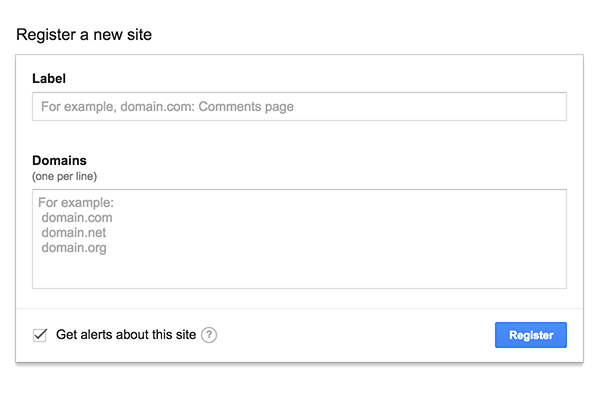
You will be returned a set of keys like something below.
Site key
Use this in the HTML code your site serves to users.
6Lc4-XXXXXXXXXX-XXXXXXXXXX
Secret key
Use this for communication between your site and Google. Be sure to keep it a secret.
6Lc4-YYYYYYYYYY-YYYYYYYYYY
Step 2: Adding the code to your website
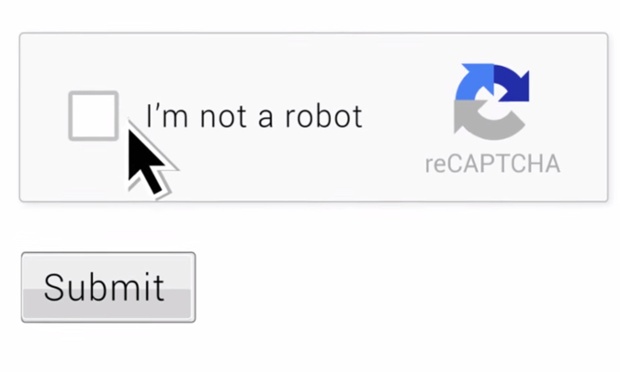
<?php
$site_key = "6Lc4-XXXXXXXXXX-XXXXXXXXXX";
$recaptcha_secret = "6Lc4-YYYYYYYYYY-YYYYYYYYYY";
?>
<html>
    <head>
        <title>Google reCAPTCHA Demo</title>
    </head>
    <body>
        <form method="post" action="index.php">
            Enter your website: <input type="text" name="website" id="website" placeholder="https://www.shounakgupte.com" required /> <input type="submit" value="Submit">
            <div class="g-recaptcha" data-sitekey="<?php echo $site_key; ?>"></div>
        </form>

        <script src='https://www.google.com/recaptcha/api.js'></script>
    </body>
</html>

<?php
    if($_REQUEST['website']){
        //verify captcha
        $response = file_get_contents("https://www.google.com/recaptcha/api/siteverify?secret=".$recaptcha_secret."&response=".$_POST['g-recaptcha-response']);
        $response = json_decode($response, true);
        if($response["success"] === true)
        {
            //not a robot
        }
        else
        {
            //you are a robot
        }
    }
